PitchPlay · Restaurants & menu boards

Digital menu boards for restaurants, bars and cafes

PitchPlay is digital menu board software for restaurants, bars and cafes: menus on any TV or LED wall, switched by time of day, with QR codes and live scores.

By quotePitchPlay pricing for your screens
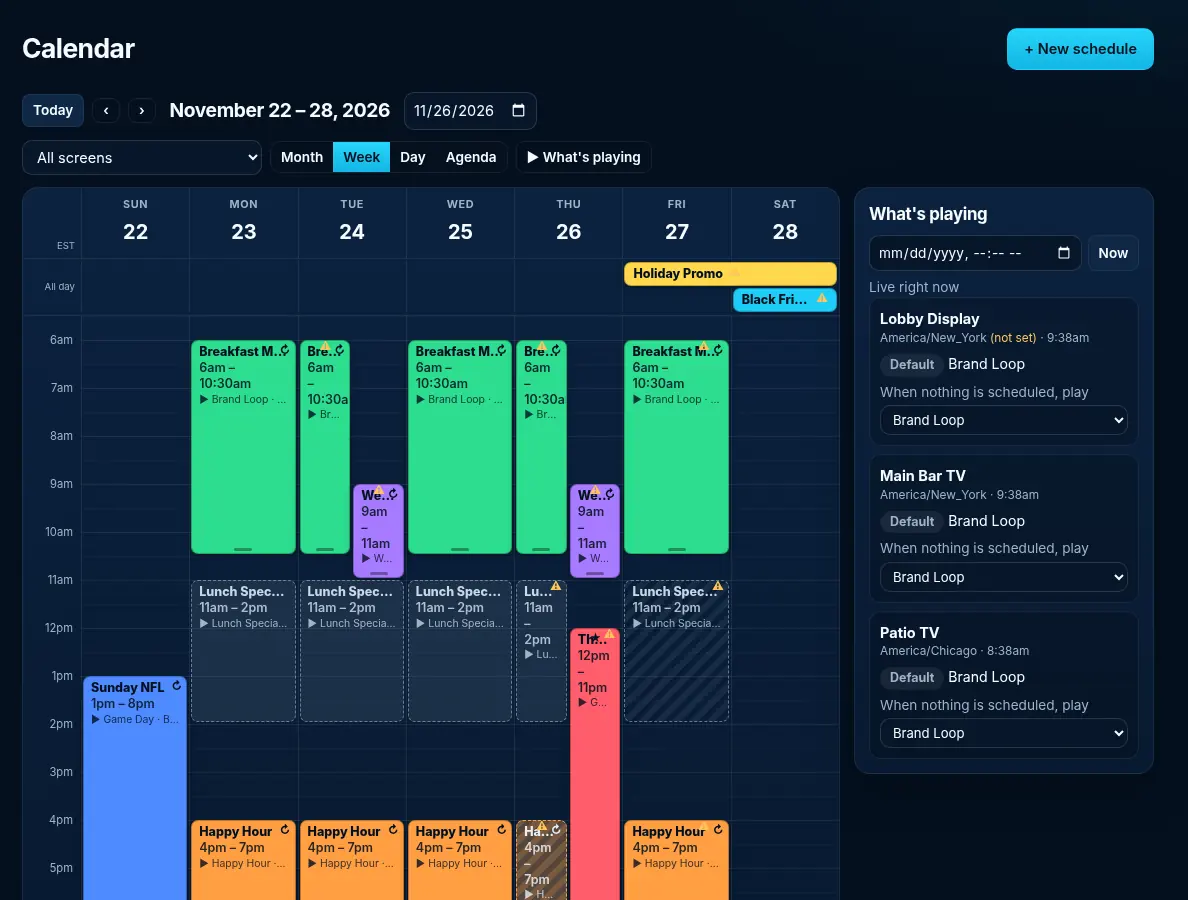
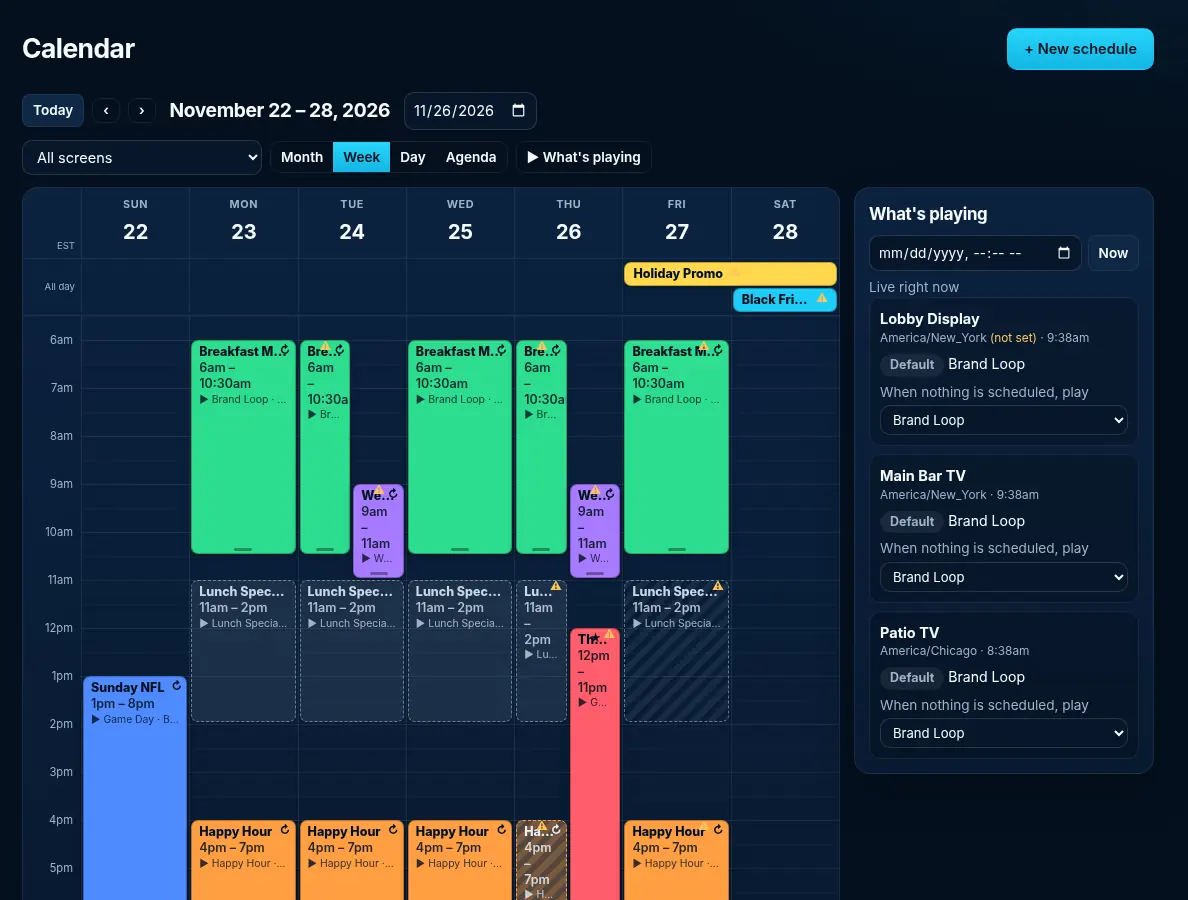
PitchPlay calendar with breakfast, lunch and happy hour menu schedules across restaurant screens
Happy Hour 4 to 7 PM menu board slide playing full screen on a bar TV with PitchPlay

Digital menu boards on a TV, a player or an LED wall

Upload your menus as images or PDFs, put them in a playlist, and play them on any TV with a supported player or on a Pitch LED wall.

Works on Fire TV, Android TV and Google TV

Cached menus keep playing if the network drops

Breakfast, lunch and dinner menus with dayparting

Schedule the breakfast menu until 11, lunch until 4 and dinner after that. Screens switch on their own.

QR codes for ordering or reviews

Add a QR code overlay that links to your online ordering or review page.

Live scores on the bar TVs, menus on the rest

Run the self-serve $15 PitchPlay Sports board on the bar TVs, or add a live score ticker over your menu.

PitchPlay calendar with breakfast, lunch and happy hour menu schedules across restaurant screens

The calendar runs the day

The calendar shows every daypart and event across your screens, with a What's playing panel for each one.

How it works

Set up a menu board on a TV (step by step)

1

Get a player

Use your own Android TV, Google TV or Fire TV device, or one of the players below.

2

Install PitchPlay

Install the free app (step-by-step install guide). It starts on its own when the TV powers on.

3

Pair & play

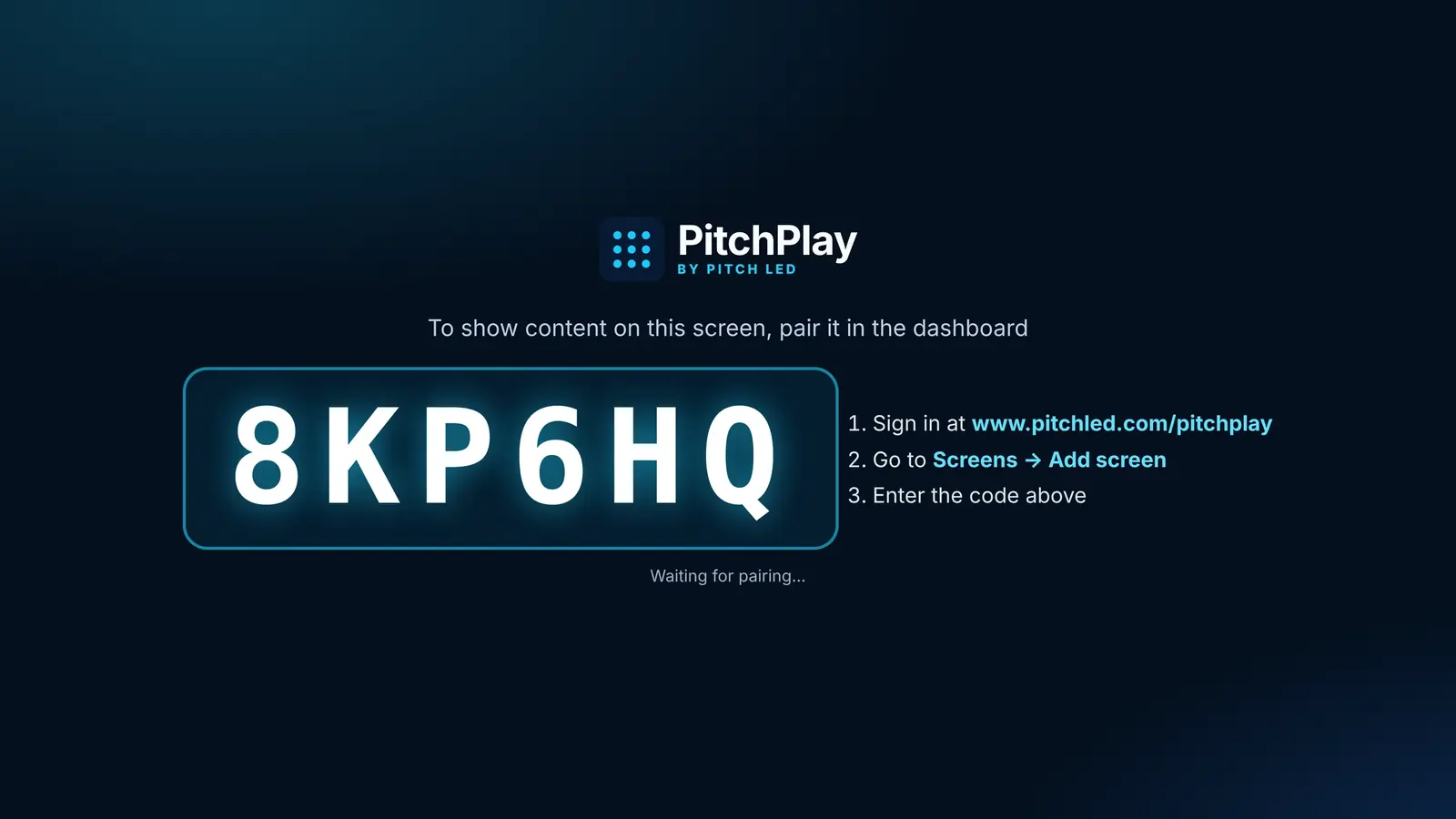
Sign up, type the six-character code from the TV into your dashboard, and pick what plays.

PitchIQ can build a playlist from your media and write captions

Upload your menu photos and ask PitchIQ to build the playlist, write captions or create a promo image for tonight's special. It asks before changing more than one screen.

Pricing

What it costs: request a quote

PitchPlay

By quote
Request a quotepriced for your screens
  • Everything in Sports
  • Images, video, PDFs, web pages, YouTube
  • Playlists, schedules & dayparting
  • Overlays, groups, tags & bulk changes
  • PitchIQ AI assistant
Request a quote

PitchPlay Sports

Starter · self-serve
$15/screen/month
  • Full-screen live Sports & Data Board
  • NFL, NBA, MLB, NHL, college, WNBA & MLS with team logos
  • Weather, traffic & stock ticker
  • Keeps the last scores offline
  • Burn-in protection
Sign up for Sports

Enterprise & Multi-location

Managed service
Custom pricingcontact sales
  • Custom integrations
  • Content design and management
  • Multi-location rollout
  • Priority support with an SLA
  • Dedicated account manager
  • White-label portal
Call 877-PITCH-LEDOr contact sales online →

PitchPlay Sports is $15 per screen per month on the self-serve Starter plan. PitchPlay and Enterprise & Multi-location are quoted: request a quote or call 877-PITCH-LED.
What's on screen

Real PitchPlay screens, not mock-ups

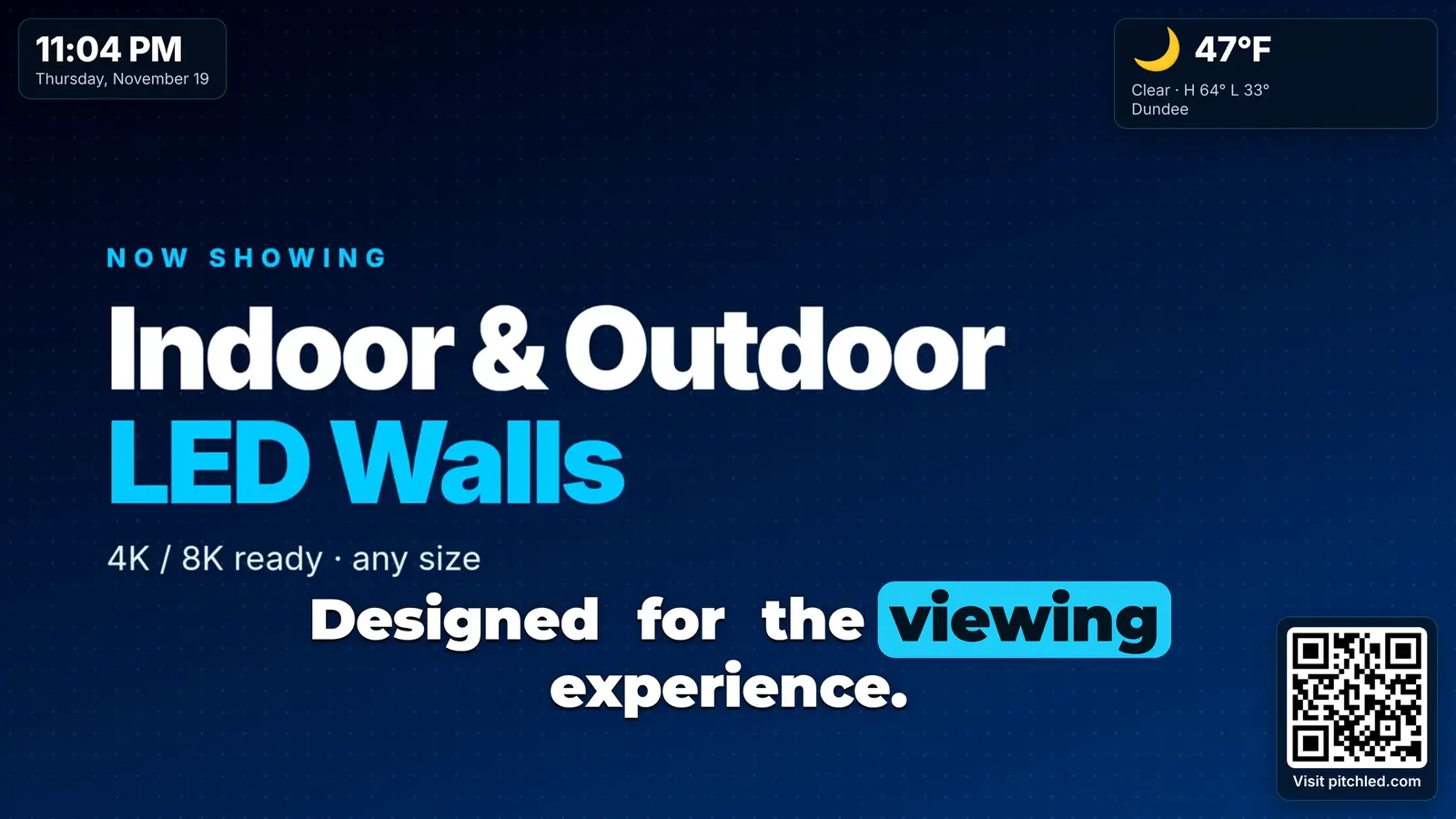
PitchPlay player showing a promo with clock, local weather, a QR code and a reel-style caption on top
Clock, weather, QR code and a caption over a promo.
PitchPlay calendar week view with breakfast, lunch and happy hour schedules and a What's playing panel per screen
Calendar: dayparts and events across screens.
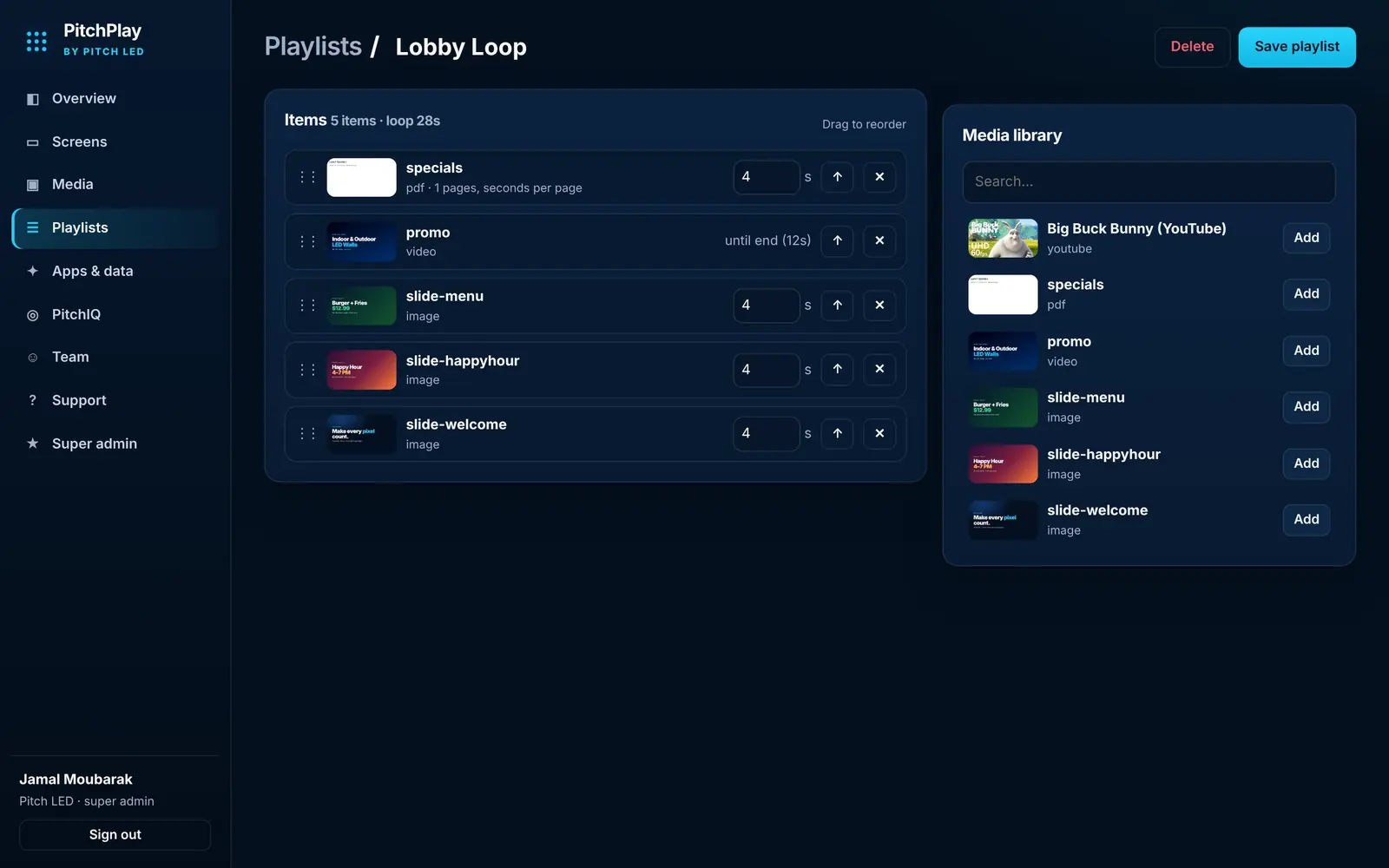
PitchPlay playlist editor with item durations next to the media library
Playlist editor with durations.
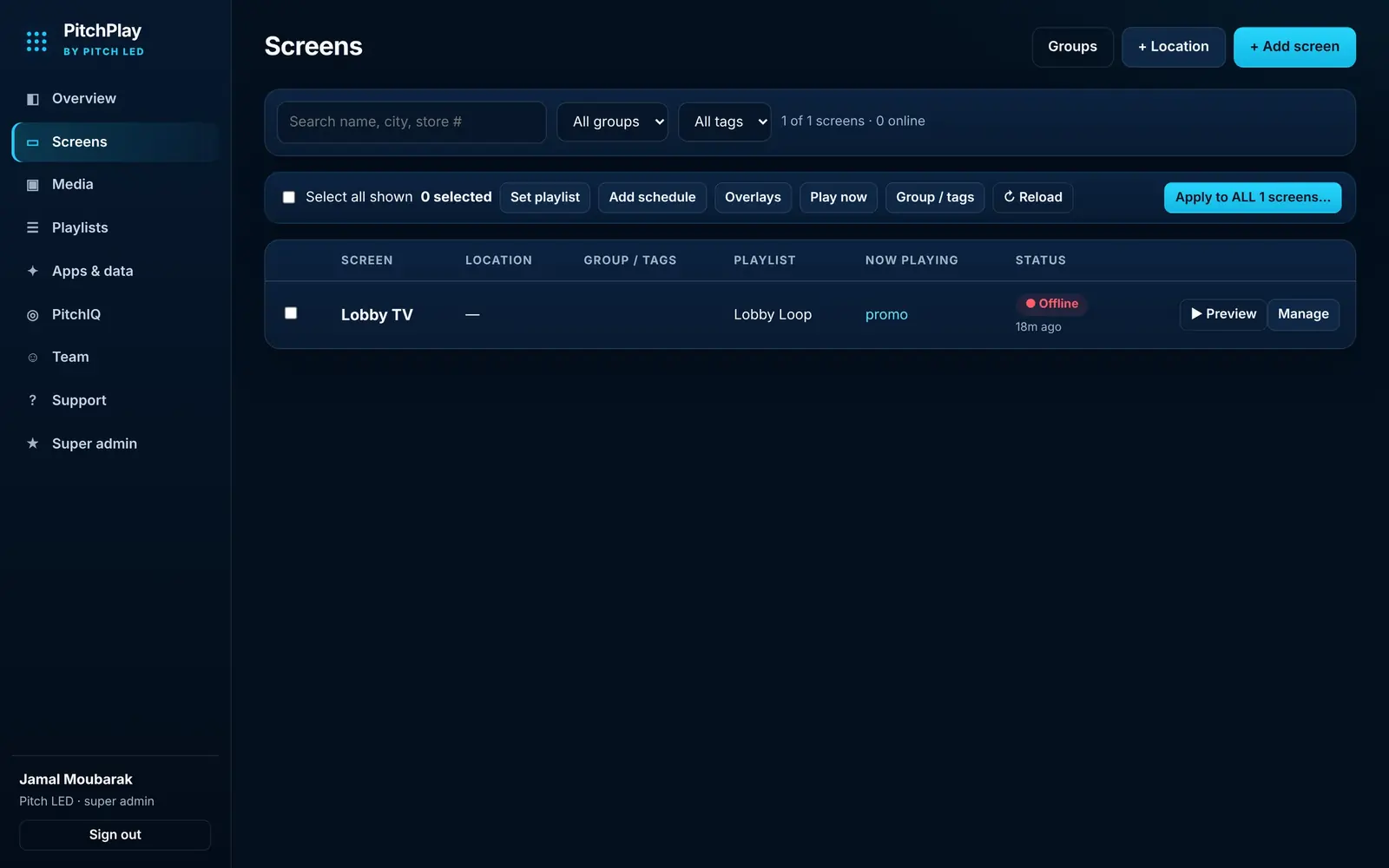
PitchPlay dashboard screens list with locations, groups, tags and bulk actions
Screens list with groups and bulk actions.
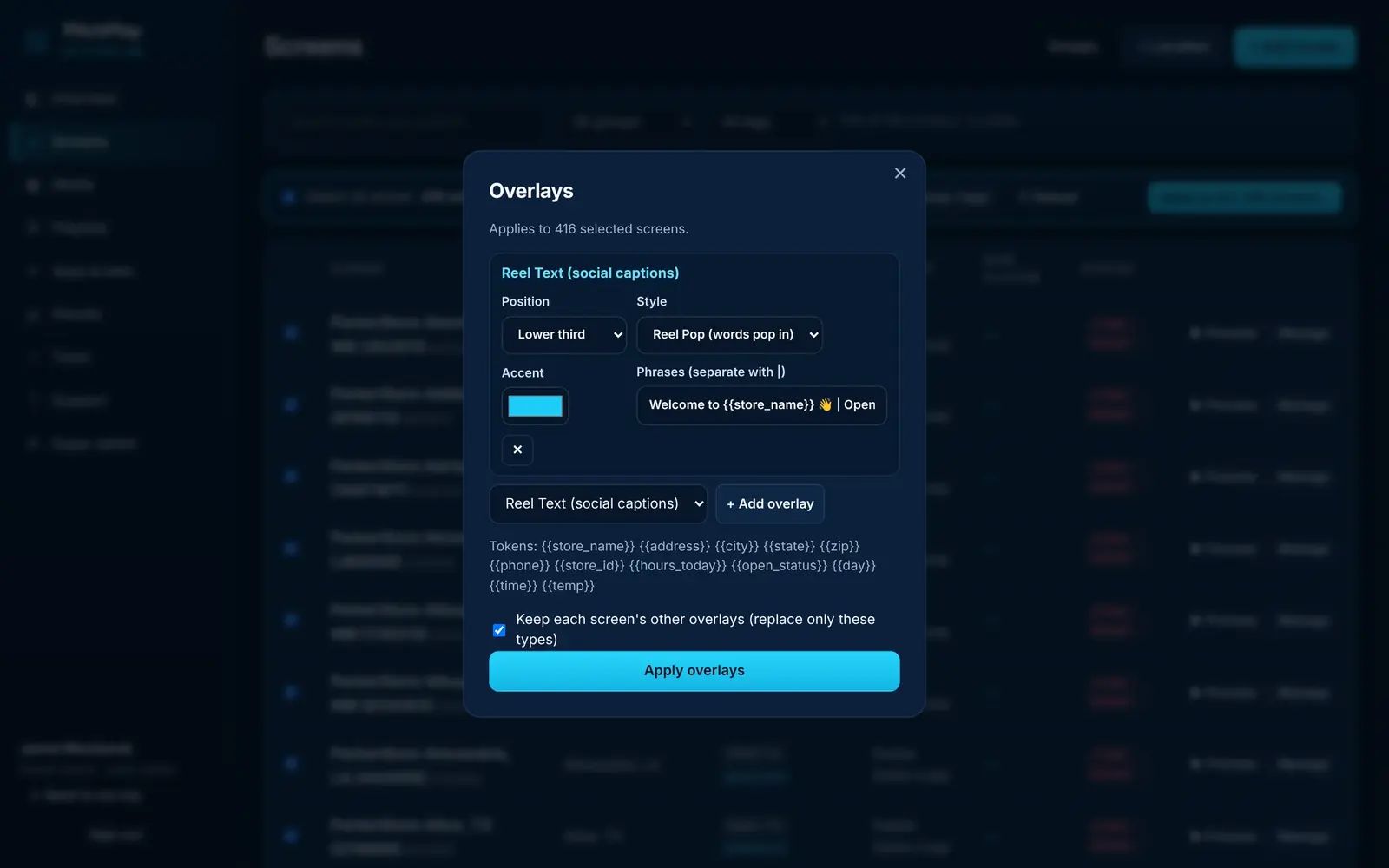
PitchPlay window for applying overlays to many selected screens at once
Apply overlays to many screens at once.
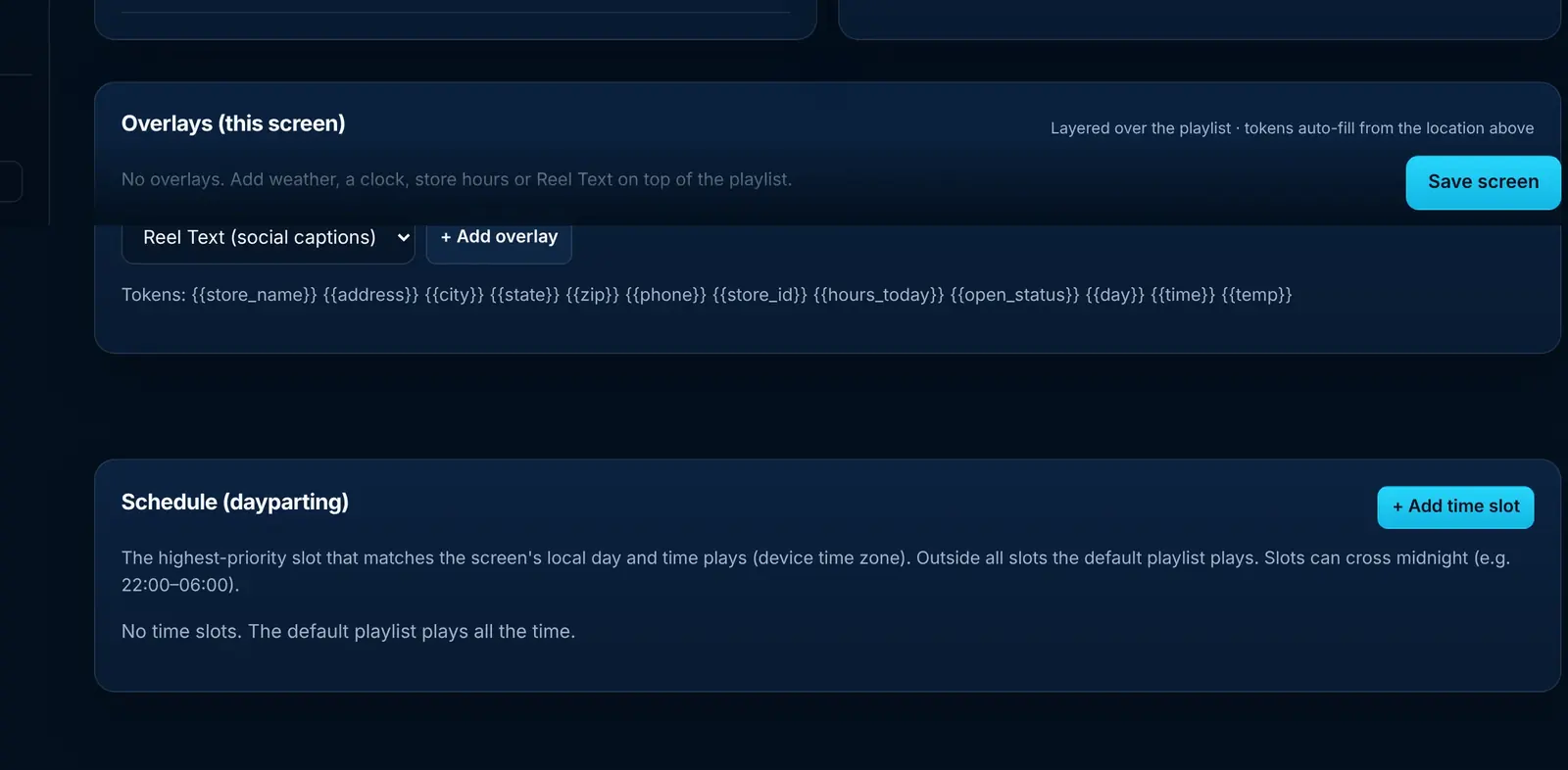
PitchPlay screen settings with overlays and a dayparting schedule
Overlays and a dayparting schedule per screen.
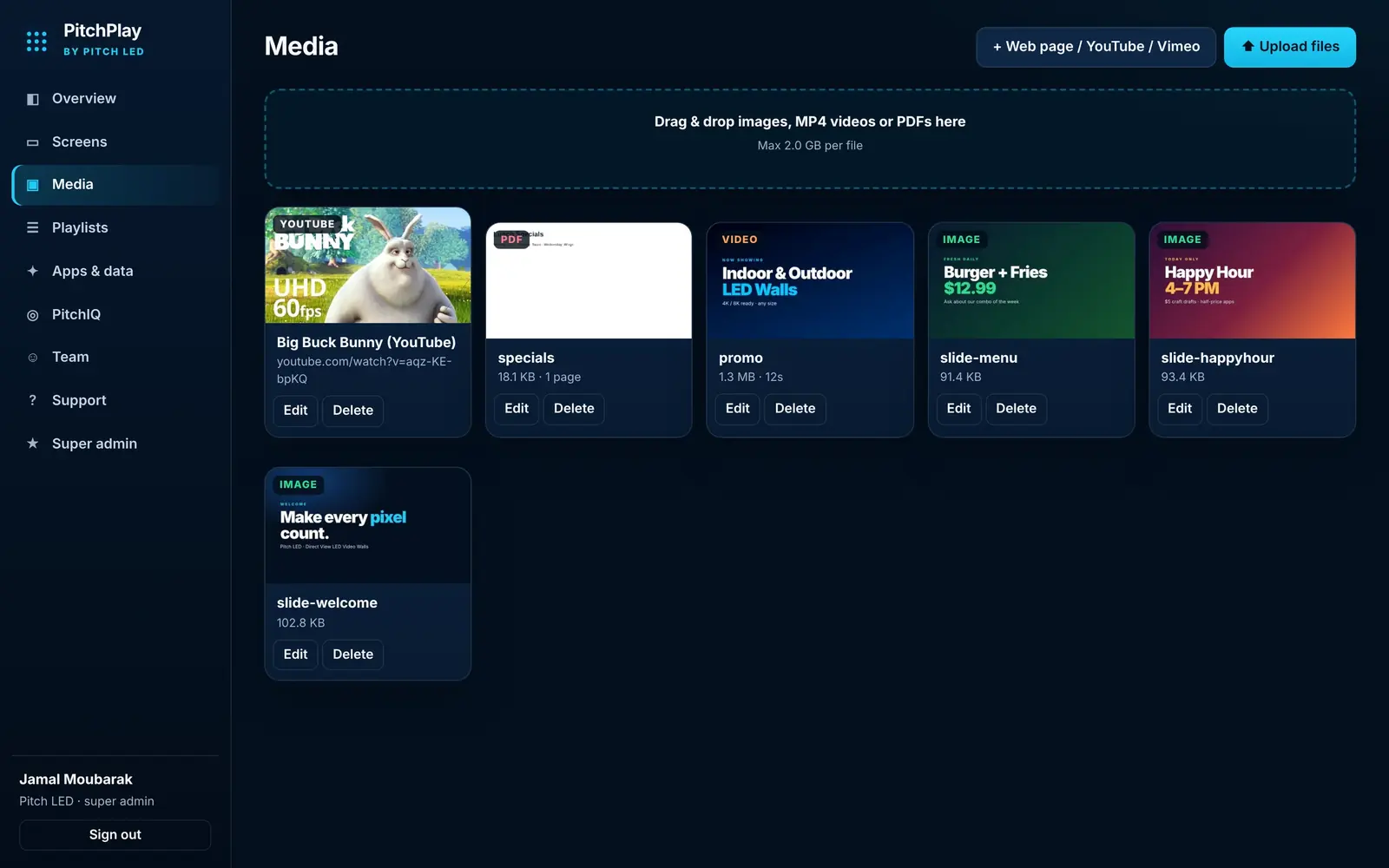
PitchPlay media library with images, video, a PDF and a YouTube item
Media library: images, video, PDFs, YouTube.
Happy Hour 4 to 7 PM promotion playing full screen on the PitchPlay player
A promo playing full screen on the player.
PitchPlay player pairing screen with a six-character code and three setup steps
Pair any screen with a six-character code.
FAQ

Questions about PitchPlay for restaurants & menu boards

How do I set up a digital menu board on a TV?

Plug a Fire TV, Google TV or Android TV device into the TV, install the free PitchPlay app, pair it with the six-character code, then assign your menu playlist in the dashboard.

Can a digital menu board also show sports?

Yes. Add a live score ticker over the menu, or run the self-serve $15 PitchPlay Sports board on other TVs.

Does it connect to my POS?

No. PitchPlay does not connect to POS systems. Upload menus as images or PDFs and update them in the dashboard.

Do I need special hardware?

No. A Fire TV, Android TV, Google TV device or an Android player is enough.

Get started

Put PitchPlay to work.

PitchPlay Sports is $15 per screen per month on the self-serve Starter plan. PitchPlay signage is priced by quote. Large rollouts: ask about Enterprise.